
How to Apply for a Truecaller Sender ID Using Sling Africa
26 February 2026
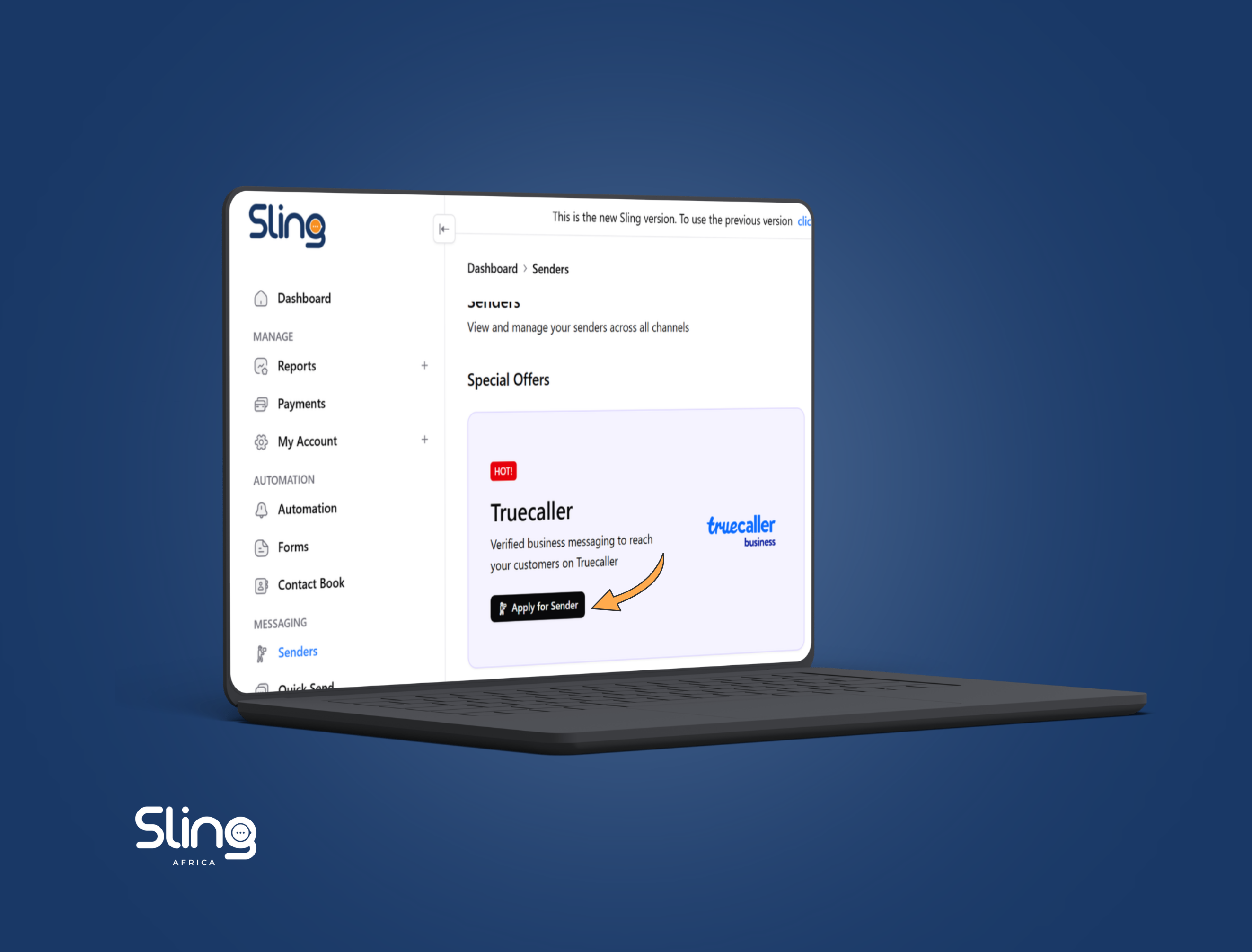
Getting your brand verified on Truecaller is no longer optional if you’re serious about customer trust.
Customers are increasingly cautious about unknown numbers. If your messages look anonymous, they get ignored. If your calls look suspicious, they get declined.
That’s why applying for a Truecaller Sender ID through Sling Africa matters. It allows your brand name, logo, and verified identity to appear clearly when customers receive your message.
Here’s a complete step-by-step guide to help you apply successfully.
Step 1: Create Your Sling Africa Account
- Start by registering on the Sling Africa platform; here.
- Once your account is active, log in to your dashboard.
Step 2: Go to the Senders Section
From your dashboard:
- Click on Dashboard
- Navigate to Senders
This is where you manage and apply for sender IDs across different channels.
Step 3: Apply for a New Sender
- Click on Apply for Sender.
- Select the Truecaller icon as your preferred channel.
Make sure you’re choosing Truecaller specifically, not SMS or another messaging channel.
Step 4: Fill in Your Sender Details
You’ll be required to provide:
- Sender ID: This is the name customers will see. It should match your official brand name.
- Message Sample: Provide a sample message that represents the type of communication you intend to send. This helps during the approval process.
Step 5: Select Channel and Sender Type
- Under Channel, choose Truecaller.
- Then select your Sender Type: Transactional, OTP, Promotional
Choose based on your use case. This affects compliance and approval.
Step 6: Submit Company Information
Complete your company profile and upload the required documents:
- Official company details
- Company logo
- CAC certificate
Ensure everything matches your registered business records to avoid delays.
Step 7: Add the Phone Number
- Provide the phone number that will be attached to your brand name on Truecaller.
This number becomes associated with your verified identity, so ensure it is active and correct.
Step 8: Submit Your Application
- Review all details carefully.
- Click Submit Application.
Your request will then move into review and verification.
What Happens After Submission?
Once approved, your brand will appear as a verified business on Truecaller. Customers will see your name, logo, and verified badge, making your communication instantly more credible.