
How to Apply for an SMS Sender ID (Step-by-Step Guide)
9 March 2026
Businesses send thousands of messages every day: promotions, alerts, confirmations, and updates.
But when those messages arrive from a random number, customers hesitate to open them. Some ignore them completely.
That’s where an SMS Sender ID comes in.
A Sender ID allows your business name to appear as the sender of your SMS instead of a phone number. This builds trust, improves message recognition, and increases the chances that customers read and act on your message.
Here’s a simple step-by-step guide to applying for an SMS Sender ID using SlingAfrica.
What Is an SMS Sender ID?
An SMS Sender ID is the name that appears on a customer’s phone when your message is delivered.
Instead of receiving a message from a random number, customers will see your brand name as the sender.
For example: Instead of: +234xxxxxxxx
Your customer sees: YourBrand
This makes your communication look professional and trustworthy.
Why Businesses Use SMS Sender ID
Using a branded Sender ID helps businesses:
• Build customer trust
• Improve message open rates
• Maintain brand visibility in every message
• Send large-scale business messages professionally
It’s an essential tool for companies sending marketing messages, alerts, transaction notifications, and customer updates.
How to Apply for an SMS Sender ID
Applying for an SMS Sender ID with SlingAfrica is straightforward and only takes a few steps.
Step 1: Create Your SlingAfrica Account

Head over to the SlingAfrica website and create a free account.
Once registered, you will gain access to the Sling dashboard, where you can manage messaging campaigns, sender IDs, and other communication tools.
Step 2: Log in to Your Dashboard

After logging in, navigate to your dashboard.
Open the menu and select Senders.
This section allows you to manage all sender identities connected to your account.
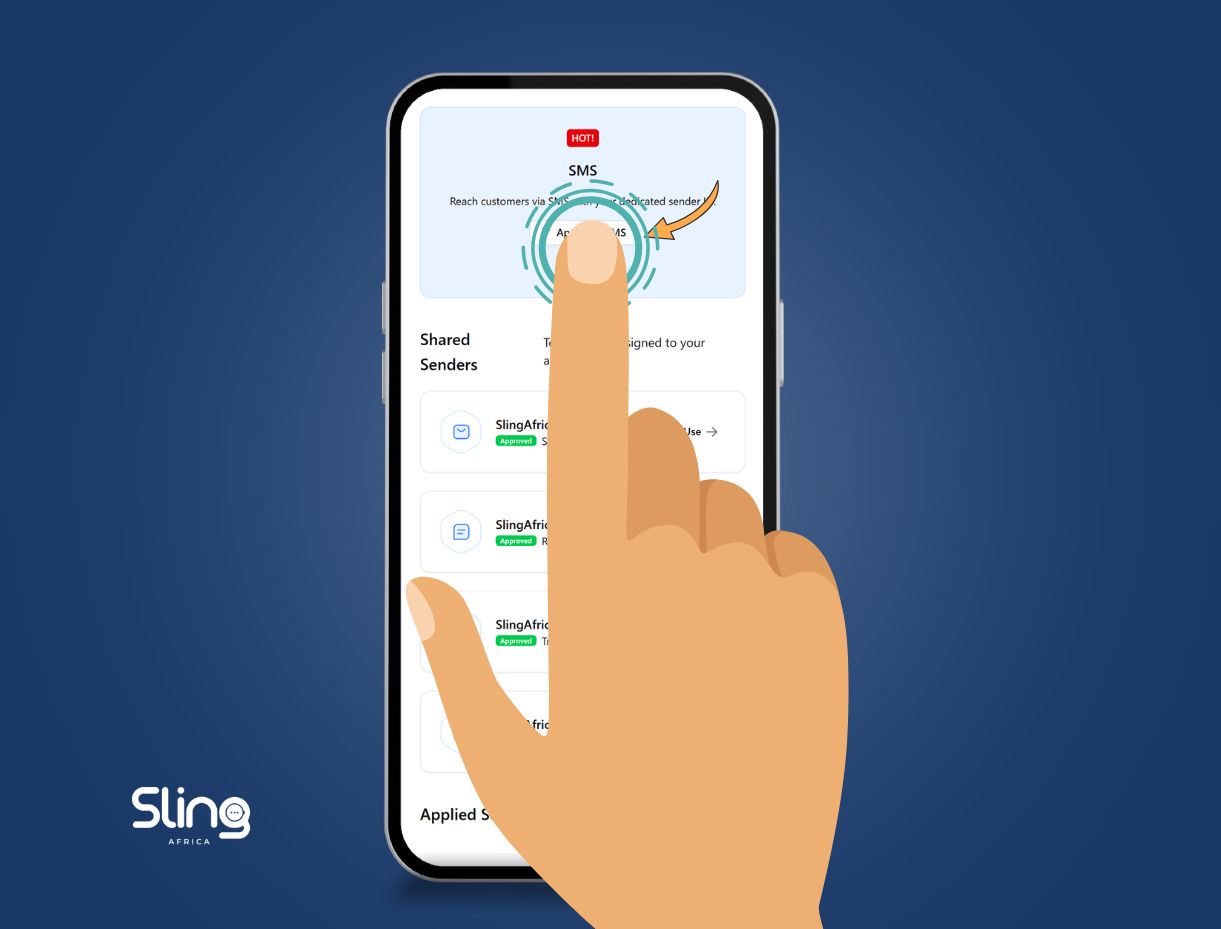
Step 3: Apply for SMS Sender ID
Click “Apply for SMS.”

From here, you can request a Sender ID for your business.
SlingAfrica also allows businesses to apply for sender verification across multiple messaging channels, including:
• SMS
• Truecaller
• RCS Messaging
All applications are managed directly from your dashboard for easy control.
Step 4: Submit Your Application

Fill in the required information and upload the necessary documents.
Once submitted, your request will be reviewed and approved within a few days.
After approval, you’ll be able to start sending branded SMS messages directly from your Sling dashboard.
Start Sending Branded SMS
Thousands of businesses are already using Sender IDs to communicate with customers more professionally.
With SlingAfrica, you can manage your messaging channels, run campaigns, and send branded SMS from a single platform.
If your business sends customer notifications, promotions, or alerts, an SMS Sender ID is the first step to building trusted communication.
Create your account today and apply for your Sender ID.